Test Results
On the Test Results page of the Office Application it is possible to view or download pdf reports of tests performed on serial numbers.
In the Test Application you can also re-print the last label on the label printer.
Viewing single reports
To view a single report, search for the serial number of the device in the search bar and select the instance in the list on the left. A list of recent results for the selected serial number will be displayed on the right side of the page.
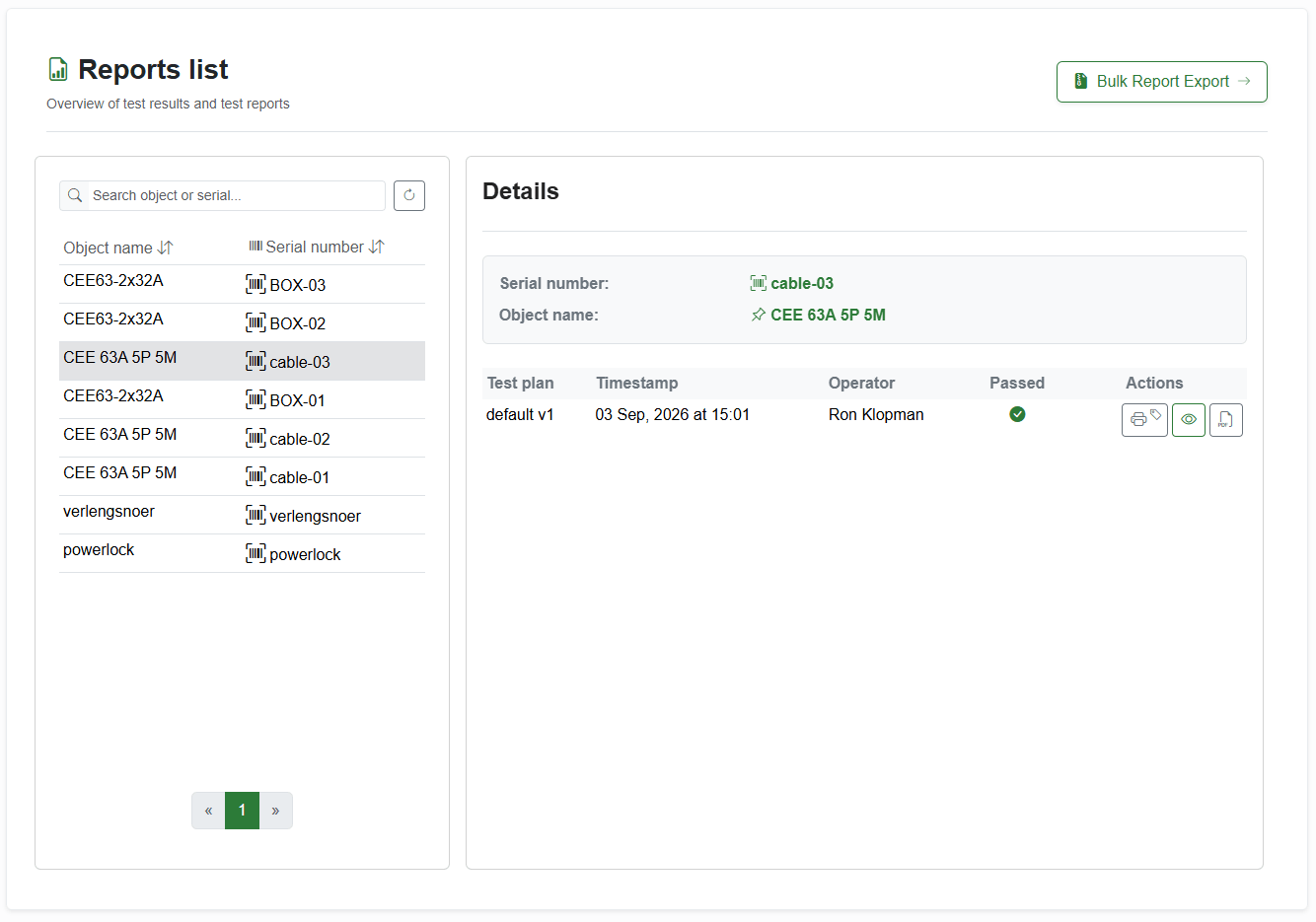
Under actions you find an eye button for a preview, and a pdf button for a direct download.
You are then asked to select which report you want to view.
The preview buttons opens a dialog where you can review the report before deciding to download or print it. Click anywhere outside the dialog to close it.
You can also download a PDF directly by using the PDF-button next to the eye-button under actions.
In both cases you will be prompted to select which report you want to view or download:

You can create your own report templates by creating custom report definitions.
Bulk Report Export
Using the bulk report export page it is possible to export certain reports for an arbitrary selection of serial numbers. Input a list of serial numbers, either separated by commas or new lines, and select the desired report type before exporting.
The reports will be generated on the server. When the exporting is finished you can return to this page to download a zip file with reports.
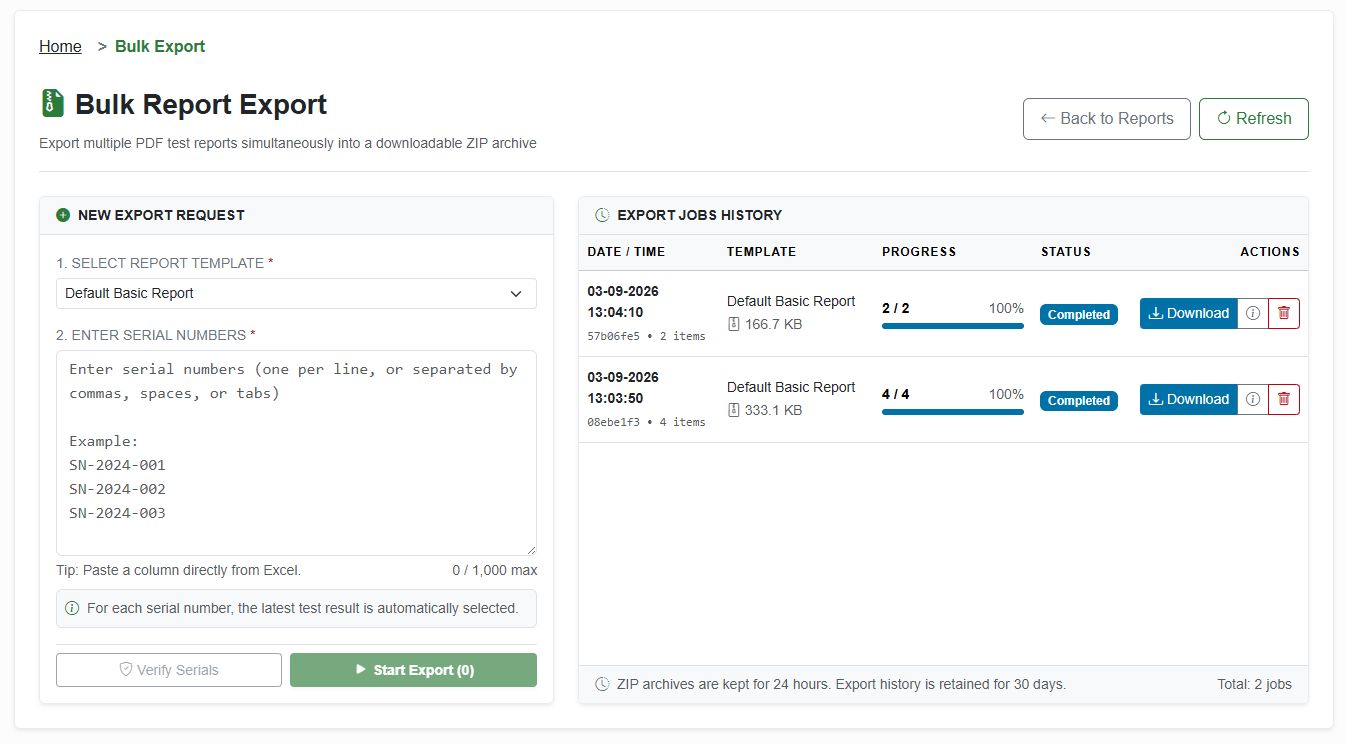
By default up to 1000 serial numbers can be exported per job. Keep in mind that larger exports may take longer to process.
Advanced settings for IT
If you think your hardware is more capable, you can adjust the bulk export settings to optimize performance.
This includes configuring the number of concurrent export jobs and the maximum number of serial numbers per job.
Locate appsettings.Customer.json of the OfficeAPI and add and change the following section under the existing configuration:
{
    // ... existing settings
    "BulkReports": {
        "MaxBatchSize": 1000,
        "MaxConcurrentRenderings": 3,
        "CleanupInterval": "01:00:00",
        "ZipRetention": "1.00:00:00",
        "JobRetention": "30.00:00:00",
        "OrphanZipGracePeriod": "01:00:00",
        "RecentJobsLimit": 100,
        "MinFreeDiskSpaceMb": 500
    }
    // ...
}