Running test
Page overview
When a serial number and test object are provided, it is possible to run the test.
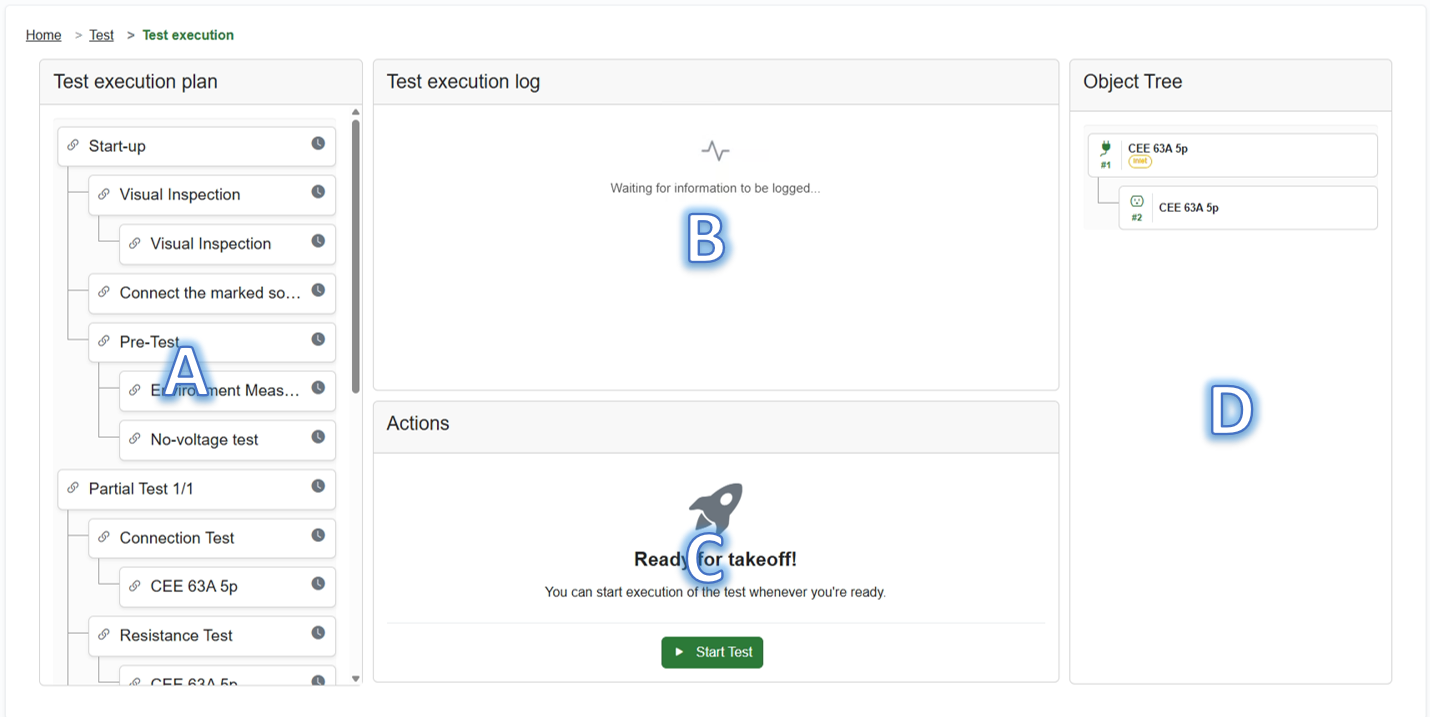
The test view consists of the following significant area’s
A. Test Steps Overview
These are all steps to be performed for this test, the test status is reflected by the icon on the right.
B. Activity Log
Here you will find intermediate results, messages and errors.
C. Actions
If interaction is required, a question or notification will be shown here
D. Object Tree
These are all sockets and components in a test object. The plug or socket icons indicate the component in the test object, and the colour the last test state.