Self Test
The EST Test Application has various built-in self tests that can be used to verify the functionality of the EST. To access the self test, click on the "Self Test" button on the home screen of the EST Test Application. Depending on the user permissions, the available selftests may differ.
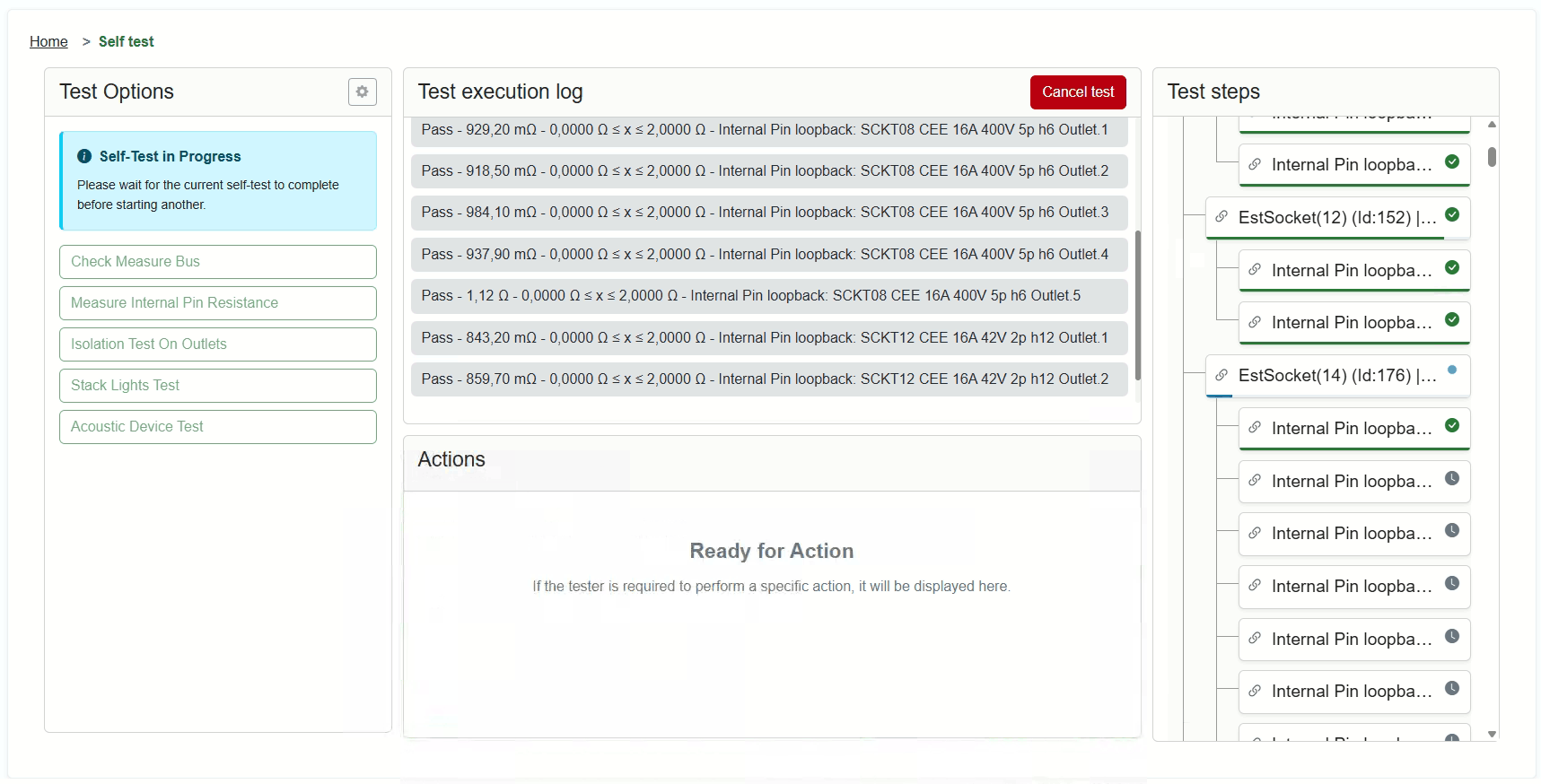
Available Self Tests
The available self tests depend on the user access level.
For role Tester there are only a few tests available.
For role Configurator there are more self tests available.
Filter
The gear icon allows to reduce the subset of sockets the self-test will be performed on.
When filters are active, an orange funnel icon is visible.

After changing filter, you must recreate the self test by selecting the selftest again.
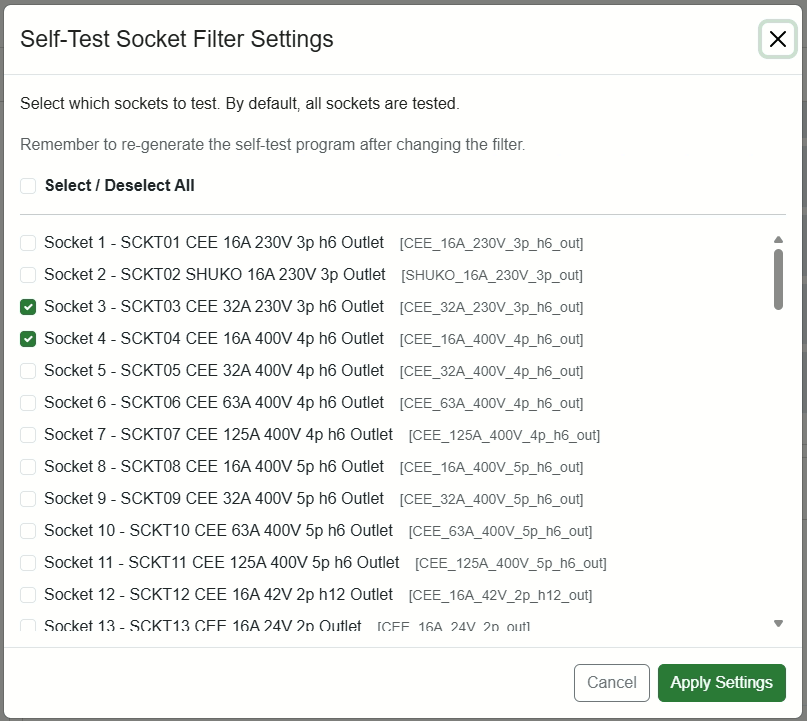
Use the filter to only test specific sockets that were replaced or need attention.
Check Measure Bus
This self test verifies the functionality of the measure bus in the EST. It checks for proper connectivity and ensures that all measurement channels are operational.
Run this self test after exchanging instruments.
Measure Internal Pin Resistance
This self test verifies internal wiring to each pin. Run this self test regularly to ensure the integrity of the EST and relay quality.
Isolation Test On Outlets
This self test checks the isolation of all outlet sockets in the EST. It ensures that there is no unintended electrical connection between the different pins of the outlets.
Run this self test regularly to maintain the safety and reliability of the EST.
Stack Light Test
This test cycles the stack light through all its colors and patterns to ensure that it is functioning correctly.
Acoustic Test
This self test verifies the functionality of the acoustic signals in the EST.
Socket Test
The socket test allows you to verify the quality and wiring or each socket.
It asks you to plug sockets into outlets on the door or attach extension cables to verify all sockets.
For this purpose we recommend keeping the necessary extension cables and sockets available.
This test may not be available for all software versions.